Dola AI Hub

AI Video Maker — Turn Your Ideas into Moving Stories

Create images and short videos from words and photos, in one workspace.

Preview freely. Sign in to generate.View credits
0/2000
Seedance 1.0 Pro · Text to video
Sign in to create
Turn a scene description into a short videoText input only · 20 credits with current settings

20 credits per request. Failed generations are refunded.

Checking connection…

SHOWCASE

Get inspired by real AI examples

Explore source examples, inspect their prompts and adapt an idea for your next creation.

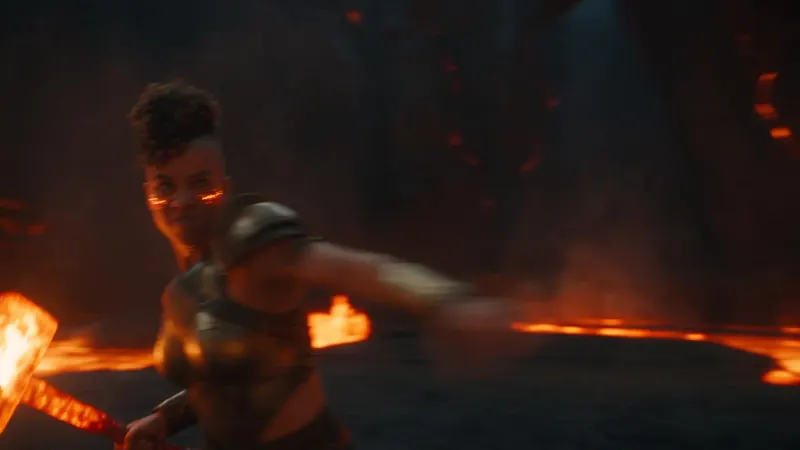
Volcano Forge EscapeVideo example · poster

Volcano Forge Escape

16:9 · aiMakeVideo Cookbook

View prompt

Photoreal live-action fantasy escape through an active volcanic forge cavern, crisp high-resolution cinema detail, ember heat haze kept optically sharp, clean HDR contrast, one wide lens and one uninterrupted controlled handheld pursuit shot. The smith-mage is a muscular North African woman, late 20s, shaved sides with dense curls, glowing ember freckles, soot-streaked bronze armor over ash linen, one living molten hammer in her right hand. Keep one identical smith-mage throughout. Exactly 5 distinct lava constructs emerge; construct 5 is a towering slag titan with a chain-anvil. Never reuse a construct. Every hammer blow hits exactly one target. Show 5 separate contacts, cooled-glass shatters, freezes into dead stone. No multi-target smash. Each next construct blocks, hurls slag, or collapses a bridge. Rotate overhead forge strike, lateral quench-smash, vault over magma rivulet, ground-spike kick, and final titan knee break. Every relocation: micro-anticipation; orange-white forge flash hides her then reveals her already striking the next construct; camera keeps physical follow. No transit smear, no whip pan, no motion blur. Keep skin, armor, lava crust, particles sharp. No dialogue or subtitles. Furnace roar, 5 quench-impact accents, rock collapses, flash cracks, industrial percussion sting.

Original source
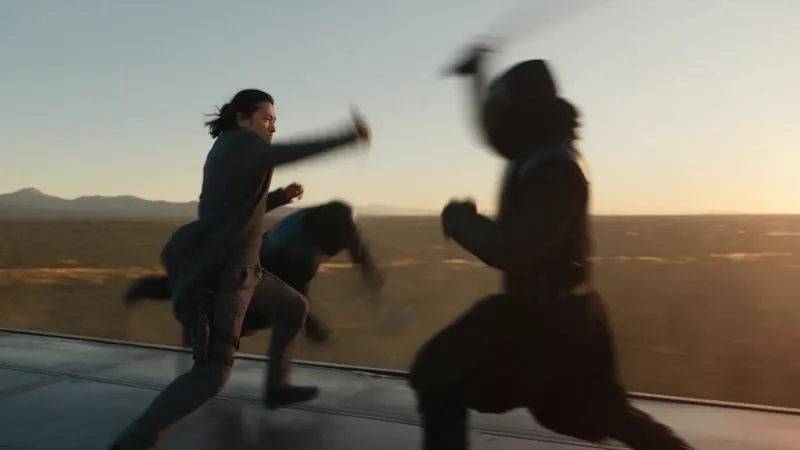
Maglev Train DuelVideo example · poster

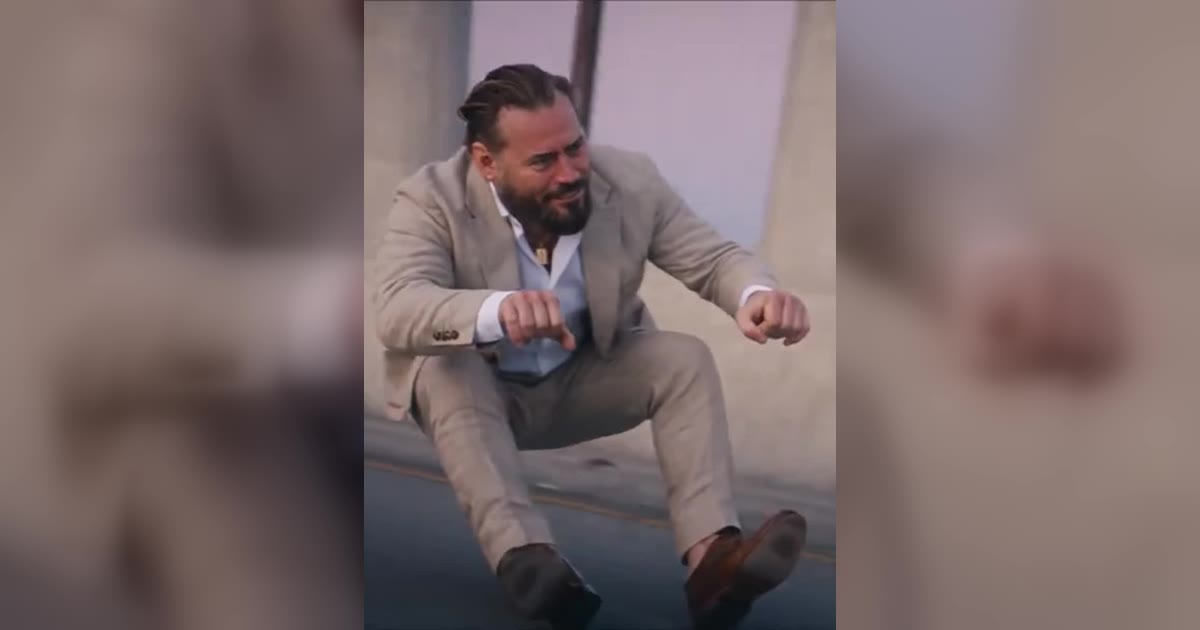
Maglev Train Duel

16:9 · aiMakeVideo Cookbook

View prompt

Photoreal live-action modern wuxia duel atop a speeding maglev at golden hour, crisp high-resolution cinema detail, wind-whipped coat fabric, clean HDR contrast, one 40mm-equivalent lens and one uninterrupted controlled handheld tracking shot along the train roof. The duelist is a lean East Asian man, early 30s, sharp jaw, windblown black hair tied low, charcoal tailored coat over combat layers, one carbon-fiber jian in his right hand. Keep one identical duelist throughout. Exactly 6 distinct masked rivals climb onto the roof; rival 6 is a twin-blade captain. Never reuse a rival. Every cut lands on exactly one opponent. Show 6 separate contacts and individual falls off-frame. No multi-target slash. Each next rival lunges, binds, or forces the roof edge. Rotate descending cut, rising cut, bind-and-displace, reverse-grip draw, spinning deflection, and final disarm. Every relocation: micro-anticipation; pale steel flash hides him then reveals him already committed beside the next rival; camera keeps rolling with train landscape visible. No transit smear, no whip pan, no motion blur. Camera stays close with sidesteps and arcs toward each flash destination without snapping. No dialogue or subtitles. Wind roar, rail hum, 6 blade accents, dry flash cracks, accelerating taiko-electronic sting.

Original source
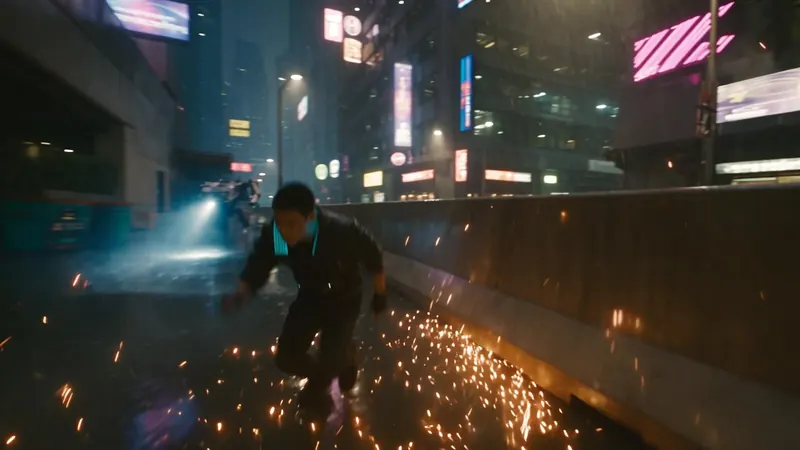
Neon Rooftop ChaseVideo example · poster

Neon Rooftop Chase

16:9 · aiMakeVideo Cookbook

View prompt

Photoreal live-action cyberpunk chase at rainy night, crisp high-resolution cinema detail, wet asphalt reflections, clean HDR contrast, one 35mm-equivalent lens and one uninterrupted controlled handheld pursuit shot. The courier is a lean East Asian man in his mid-20s, cropped black hair with a cyan underlight edge, thin scar along the jawline, matte black riding jacket, fingerless gloves, compact magnetic satchel locked to his chest. Keep one identical courier throughout. He flees exactly 4 distinct armored drone-riders; each has a unique chassis silhouette and melee tool; rider 4 is a heavy enforcer with a telescoping stun lance. Never reuse a rider. Every near-miss and strike is one-to-one. Show 4 separate contact events: sparks, shattered plating, wipeouts. No multi-target hits. Each next rider actively cuts him off, rams, or grapples. Rotate vault, slide-under, wall-run, and final lance parry without adjacent repetition. Every relocation: micro-anticipation; a hard cyan strobe fully hides him and he vanishes; camera keeps physical follow with city visible; a second local strobe reveals him already in the next escape or attack pose. No transit smear, no whip pan, no motion blur. Camera stays close with smooth arcs and pivots toward each strobe destination without snapping. No dialogue or subtitles. Night city ambience, tire hiss, 4 distinct impact accents, dry strobe cracks, accelerating synth hit.

Original source
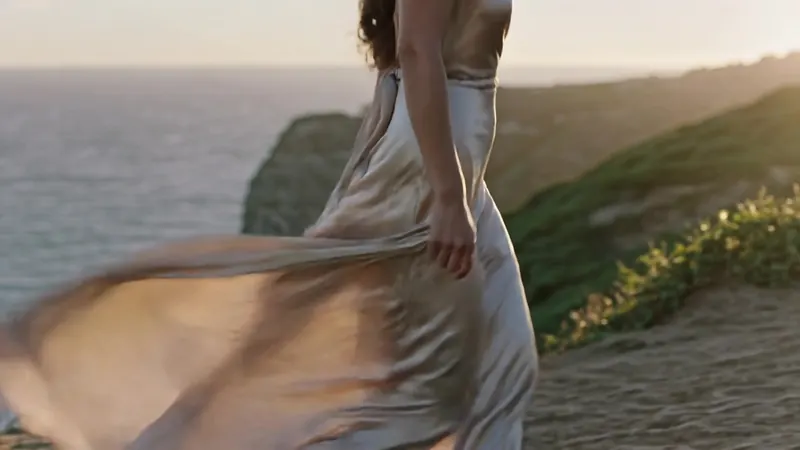
Cliffside Silk WalkVideo example · poster

Cliffside Silk Walk

16:9 · aiMakeVideo Cookbook

View prompt

A graceful woman in a flowing champagne silk dress walking along a cliffside path at golden hour, fabric catching wind, warm rim light on skin and hair, slow lateral tracking shot, 85mm look, shallow depth of field, refined beauty commercial, photoreal, subtle film grain

Original source
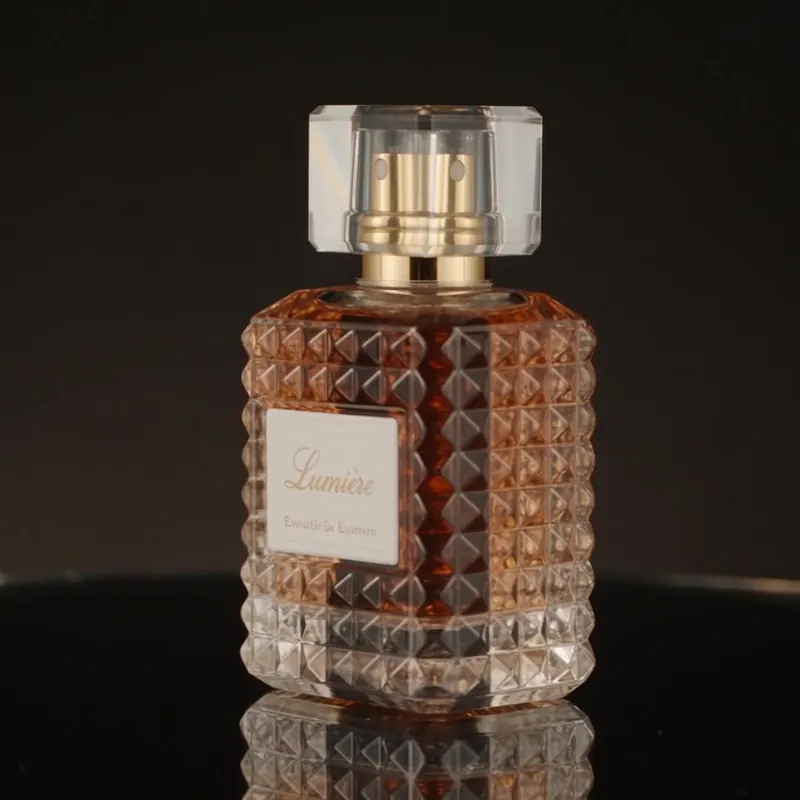
Lumière Perfume OrbitVideo example · poster

Lumière Perfume Orbit

1:1 · aiMakeVideo Cookbook

View prompt

Luxury perfume bottle on black glass, slow orbit, prism light splitting into soft spectral highlights, ultra-clean reflections, macro commercial beauty, razor-sharp label readable, elegant negative space

Original source
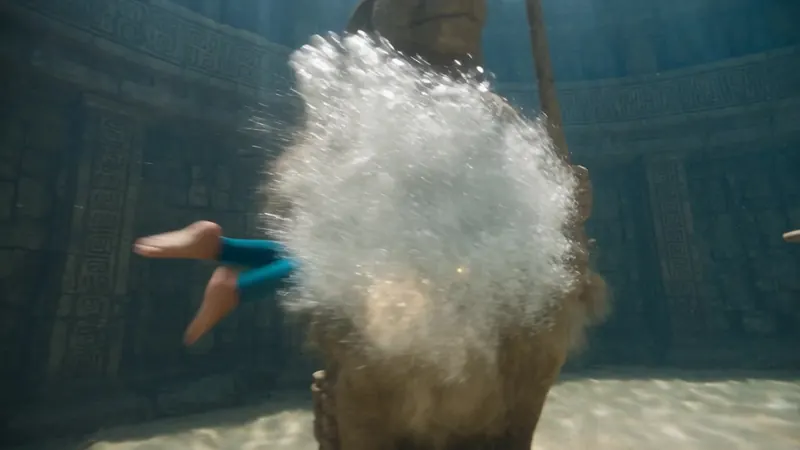
Underwater Temple HeistVideo example · poster

Underwater Temple Heist

16:9 · aiMakeVideo Cookbook

View prompt

Photoreal live-action underwater heist in crystal-clear sunlit water, crisp high-resolution cinema detail, volumetric godrays through a Mesoamerican stone temple arena, clean HDR contrast, one wide underwater housing lens and one uninterrupted controlled floating pursuit shot. The diver is a lean young man in his mid-20s, short dark hair under a glass half-helm, teal compression leggings with charcoal chest harness, one glowing relic cylinder on his left thigh. Keep one identical diver throughout. He faces exactly 5 distinct temple guardians, each with unique stone mask and weapon; guardian 5 is a gate warden with twin tridents. Never reuse a guardian. Every strike hits exactly one target. Show 5 separate contacts, sand bursts, collapses into rubble. No multi-target cut. Each next guardian actively intercepts or spears. Rotate dolphin-kick dash, barrel-roll dodge, knife thrust, heel smash, and final trident lock. Every relocation: micro-anticipation; a white-gold bubble burst flash hides him then reveals him mid-action beside the next guardian while camera keeps buoyant follow. No transit smear, no whip pan, no motion blur. Keep skin, bubbles, carved stone, particulate sharp. No dialogue or subtitles. Muffled underwater tone, 5 stone-impact accents, bubble rushes, flash pops, rising percussion sting.

Original source
Reference images and prompts are from the MIT-licensed aiMakeVideo Prompt Cookbook · MIT

TRENDING

Trending AI video templates

Explore the look, reference inputs and workflow behind each trend.

SEE IT IN ACTION

A starting point for every story

01

Write action with intention

Name the character, describe each action and keep the camera direction clear. Reuse the source prompt as a starting point.

Volcano Forge Escape
02

Keep a consistent camera language

Choose a tracking shot, a quiet close-up or a slow orbit. A precise brief gives the model a clear visual direction.

Maglev Train Duel
03

Give your scene an atmosphere

Weather, reflections and color can establish the mood before a character takes a step.

Neon Rooftop Chase
04

Explore fashion and product motion

Start with fabric, shape and light. Change one element at a time to understand its effect.

Cliffside Silk Walk
FEATURES

One place to create, review and refine

Multiple creative modes

Image, video and audio share one workspace.

Text and reference inputs

Choose text generation or upload a reference for supported models.

Controls that match the model

Adjust only the ratios, sizes and durations supported by the selected model.

Clear credit estimates

The estimate updates with your settings before submission.

Drafts stay close

Drafts are kept in this browser tab while you refine them.

Preview and download

Review completed tasks in your history and download the output.

ALL TOOLS

All video and image tools

Find the right starting point. Each page shows its current availability.

Text to SpeechTurn your script into spoken narration with Gemini. Choose a voice, review the length-based credits, then listen and download.Sound Effect GeneratorDescribe an action or an environment to create sound effects. Choose whether the sound should loop, then preview and download.AI Music GeneratorDescribe a mood, genre and instruments to make music. Choose instrumental or vocals and download the generated audio.Text to VideoExplore text to video with clear inputs, model choices and creative examples.Image to VideoExplore image to video with clear inputs, model choices and creative examples.Text to ImageExplore text to image with clear inputs, model choices and creative examples.Image to ImageExplore image to image with clear inputs, model choices and creative examples.AI Image MakerExplore ai image maker with clear inputs, model choices and creative examples.Move Objects in PhotosUses Seedream image editing. Describe the target and check the result; generative edits can change details outside the target area.Remove Objects from PhotosUses Seedream image editing. Describe the target and check the result; generative edits can change details outside the target area.Remove BackgroundGenerative background replacement, not an alpha cutout. PNG output does not guarantee transparency.Remove WatermarkUses Seedream image editing. Describe the target and check the result; generative edits can change details outside the target area.Image SplitterSplit an image into a 1–4 row and column grid in your browser. Free, private, original-pixel PNG downloads.Image EnhancerUses Seedream image editing. Describe the target and check the result; generative edits can change details outside the target area.Old Photo RestorationUses Seedream image editing. Describe the target and check the result; generative edits can change details outside the target area.Unblur ImageUses Seedream image editing. Describe the target and check the result; generative edits can change details outside the target area.AI Tattoo GeneratorCreates a raster design reference. Review and adapt it with your tattoo artist.AI Logo GeneratorCreates a raster concept, not an editable vector or a trademark clearance.AI Video GeneratorExplore ai video generator with clear inputs, model choices and creative examples.
MADE WITH DOLA

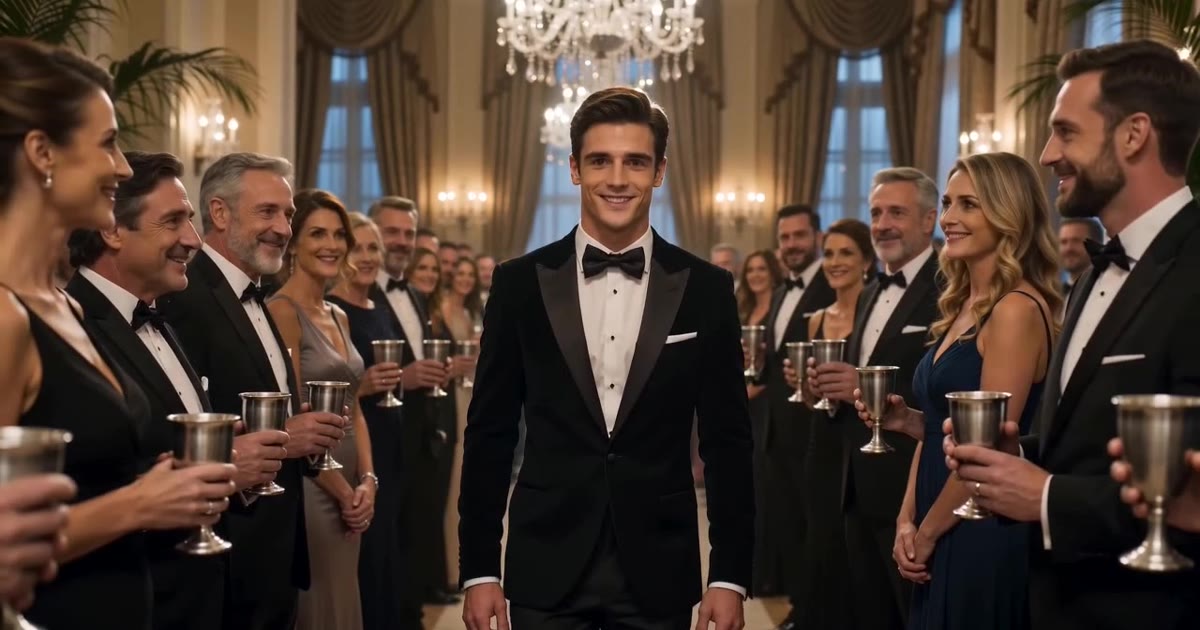
A video generated with Dola AI Hub

A verified Seedance output, distinct from the reference cookbook examples above.

Seedance 1.0 Pro · 5s · 1248 × 704

Pricing

Monthly credits for image, video and audio creation. Check the displayed cost before submitting. Unlimited generation and public API access are not included.

Starter

$9/mo
  • 400 credits per billing month · 20 videos at 20 credits each
  • Shared credits for images, video and audio; costs vary by model, duration and settings
  • Credits returned for confirmed failed generations
  • Email support

Pro

$29/mo
  • 1600 credits per billing month · 80 videos at 20 credits each
  • Shared credits for images, video and audio; costs vary by model, duration and settings
  • Credits returned for confirmed failed generations
  • Email support

Enterprise

$99/mo
  • 6000 credits per billing month · 300 videos at 20 credits each
  • Shared credits for images, video and audio; costs vary by model, duration and settings
  • Credits returned for confirmed failed generations
  • Email support
FAQ

Questions before you create

What can I generate here?

Use the available image, short-video, sound-effect and music models. Paused models are labeled in the workspace.

Are all reference templates available?

No. Reference templates show source examples. Their original durations and effects are not automatically supported by Dola.

Does Recreate submit a paid request?

No. It fills a prompt into the workspace. Review the model, settings and credits before you submit.

How are credits calculated?

Credits depend on the model and selected options. Dola prices are shown on our pricing page and in the composer.

What happens when generation fails?

Confirmed generation failures return the deducted credits. Pending tasks continue to be checked in history.

Where do these examples come from?

The imported image and prompt collection is credited to aiMakeVideo Prompt Cookbook under its MIT license. The playable forest sample is our own verified output.